
Tipasa release notes, May 17, 2023
Release Date: May 17, 2023
Introduzione
A user portal install occurred on May 17 to enable access to the new Lender's Off-System Request Form. Information on configuring the form and linking user accounts was shared earlier this month in the Tipasa release notes, May 2023.
These release notes for May 17 include information on the following:
Recommended actions
For this release, we recommend that you review the following checklists and complete the relevant tasks so that you can adjust your policies and workflows and train your staff. These checklists identify updates that we have determined as significant for most institutions. We encourage you to review all the items in the release notes to determine whether there are other items that might require additional action or follow up by your institution.
Administrative actions
These items require immediate action or decisions.
| Azione |
|---|
|
For best performance, it's very important to clear your browser's cache before starting to work with Tipasa! |
Follow-up actions
In an effort to keep your staff informed of new features and changes, you may also want to consider these items.
| Azione |
|---|
|
Share these release notes with your colleagues. |
New features and enhancements
For off-system requesting, enable a form for off-system partners to submit lending requests to your library
With this release, you can now further simplify your workflows by enabling a staff member at an off-system partner institution to submit requests with the Lender's Off-System Request Form. We recommend that you first test the form internally. Then, share the user account and the URL for the form with the staff member at your partner institution. Finally, you can process the off-system lending request.
Testing your Lender's Off-System Request Form
After you have configured the form to meet your library's needs, you can enable the form and submit a test request.
- Create a test user account. (For instructions, see Off-system lending by request form.)
- Apply the role of WorldShare ILL Partner.
- Link the user account with a partner institution.
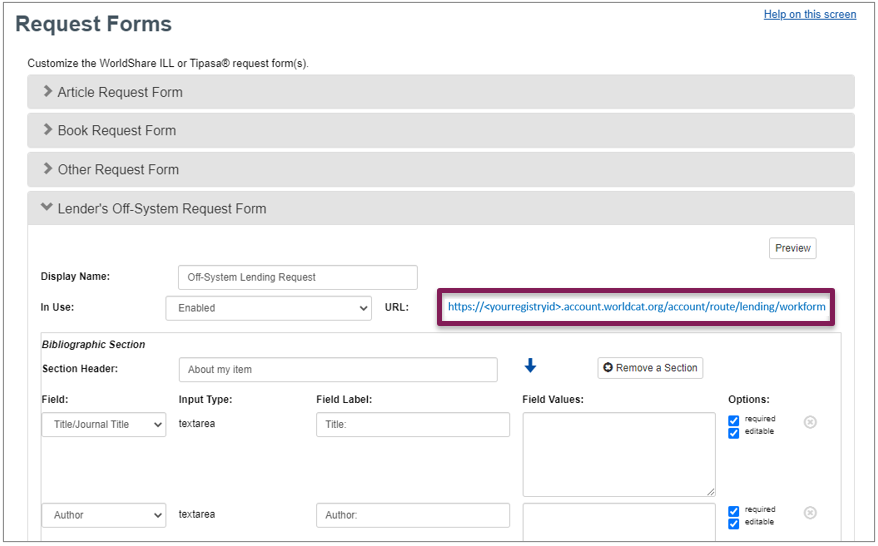
- Use the URL displayed on the form configuration page to access the form, and sign in with the test user account.
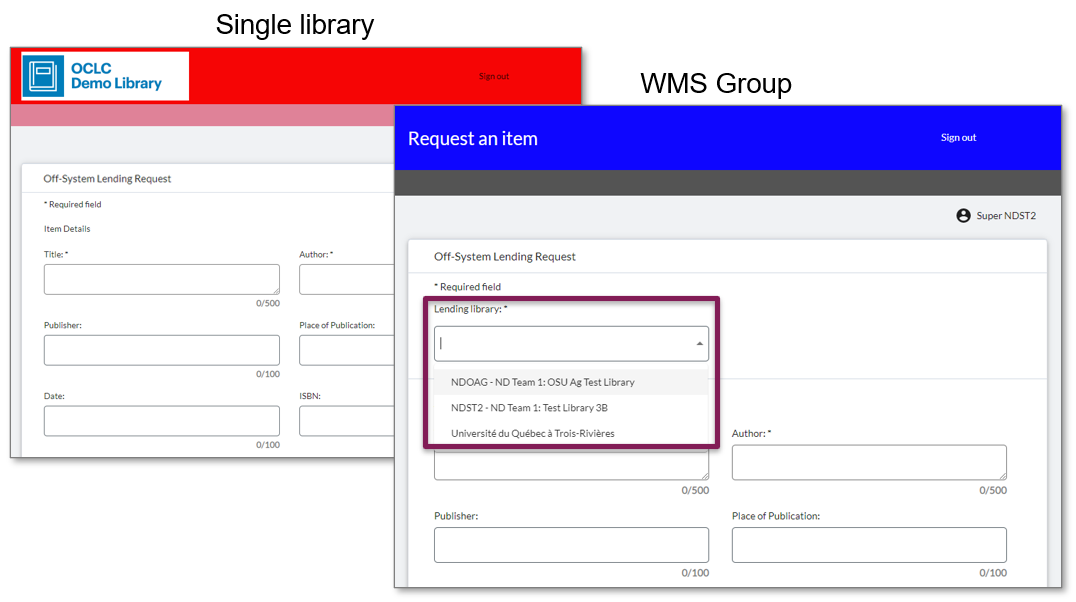
The form fields and labels display based on your configuration. If your library is part of a WMS Group, a lending library selection menu lists of all members of the group. The selected library will receive the off-system lending request.
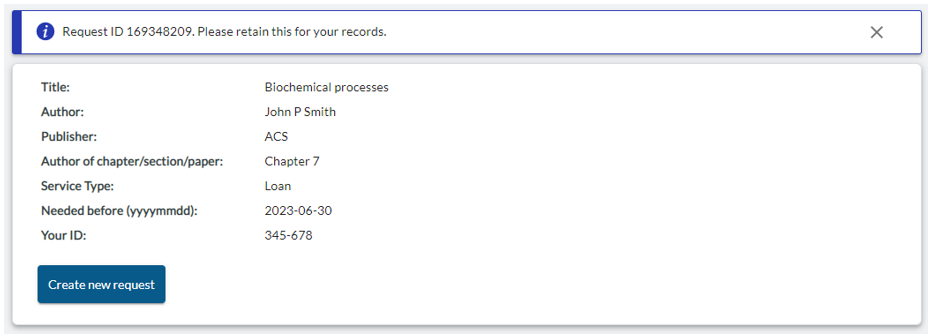
When the form is submitted, a confirmation page provides the Request ID and displays the fields/values submitted with the request.
Sharing the user account and form URL with a staff member at your partner institution
After you've successfully submitted a test request, your form is ready for use by your partner institution(s).
- Email the staff member at your partner institution.
- Provide them with the User Name for their partner account.
- Provide them with the URL for the Lender's Off-System Request Form.
- In the Admin panel, open their account and click the Set/reset link to allow the staff member to set their password.
Receiving and processing an off-system lending request
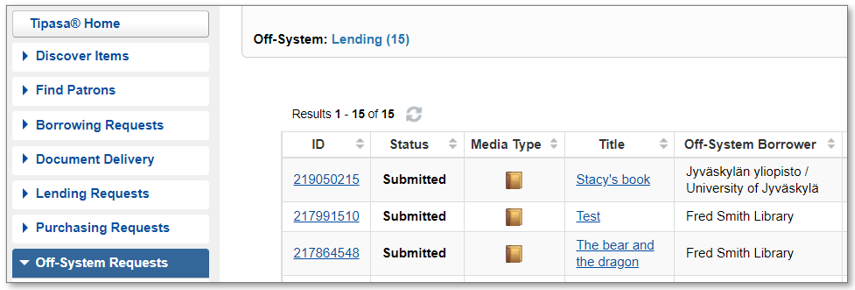
Requests submitted with the Lender's Off-System Request Form display in the Lending queue for Off-System Requests and can be processed as usual. For more information, see Update off-system request details.
Bug fixes and known issues
For a list of current and recently fixed issues, see Known issues.
Important links
Product Insights: Resource Sharing
To help you become familiar with the enhancements and fixes included in this release, please attend the upcoming webinar Product Insights: Resource Sharing.
Date: Tuesday, July 25, 2:00pm, Eastern Daylight Time (Eastern Daylight Time, UTC -04:00)
Registration: https://www.oclc.org/community/interlibrary_loan/events/rspi-july-2023.en.html
Please note the session time zone when registering. The sessions will be recorded and archived for future viewing on the OCLC Community Center. Please register, even if you are unable to attend, to receive a link to the recorded session.
OCLC Resource Sharing Conference web series
OCLC invites you to register for upcoming presentations in the 2023 OCLC Resource Sharing Conference (RSC23) web series. This year’s series of free, virtual sessions focuses on topics of interest to the OCLC interlibrary loan community. Recordings and slides for past sessions are available in the community center.
RSC23 includes these sessions:
- Some changes are here to stay: Managing resource sharing in the 21st century | Recording
- RSC23 Lightning sessions - Conducting interlibrary loan user surveys and Training student employees on ILL processing | Recording
- Law, not guidelines: Moving beyond CONTU | Recording
- Exceed your library users’ expectations with your ILL services | Recording
- Lightning sessions- Resource sharing: an Italian perspective, Resource share the love, and Resource sharing trends survey | Register
- Workshop - Tips to improve staff workflows and users’ experience | Register
Also, ILL 101 sessions hosted by IDS Project are available at the Online Learning Institute.
Virtual Workshop Series: Learn how to fine-tune your ILL setup
The series included the following topics:
- Part 1: Fine-tune your policies and deflections (recording, slides, and checklist available)
- Part 2: Construct your custom holdings (recording, slides, and checklist available)
- Part 3: Automate your request process (recording, slides, and checklist available)
- Part 4: Curate and care for your constant data (recording, slides, and checklist available)
- Part 5: Make your usage statistics count (recording, slides, and checklist available)
Support websites
Support information for this product and related products can be found at: