
WorldShare Reports release notes, March 2020
Release Date: March 27, 2020
Introduzione
This release of WorldShare Reports and Report Designer provides number of new features and enhancements. These features will help you manage more complex workflows, including:
- Utilize COUNTER 5 usage data in new standard reports
- The new E-Resources COUNTER 5 Universe for custom queries and reports.
Many of these enhancements are the direct result of your feedback.
Recommended actions
For this release, we recommend that you review the following checklists and complete the relevant tasks so that you can adjust your policies and workflows and train your staff. These checklists identify updates that we have determined as significant for most institutions. We encourage you to review all of the items in the release notes to determine whether there are other items that might require additional action or follow up by your institution.
Follow-up actions
In an effort to keep your staff informed of new features and changes, you may also want to consider these items.
| Azione |
|---|
|
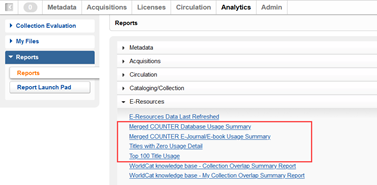
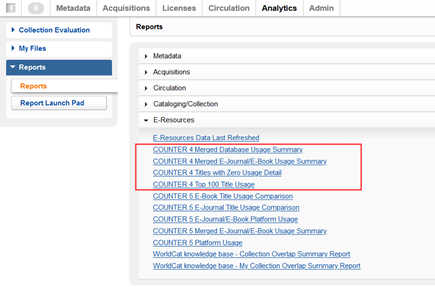
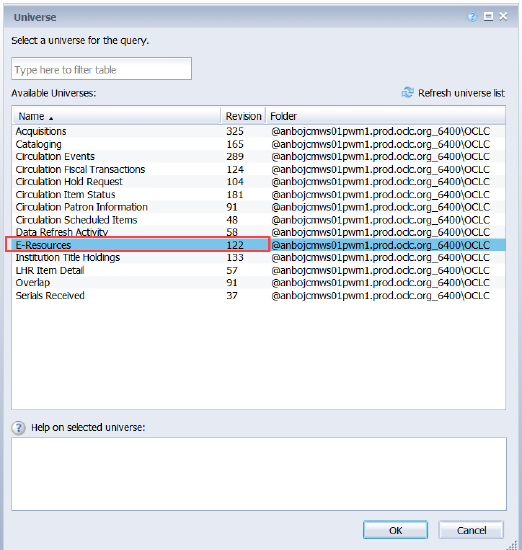
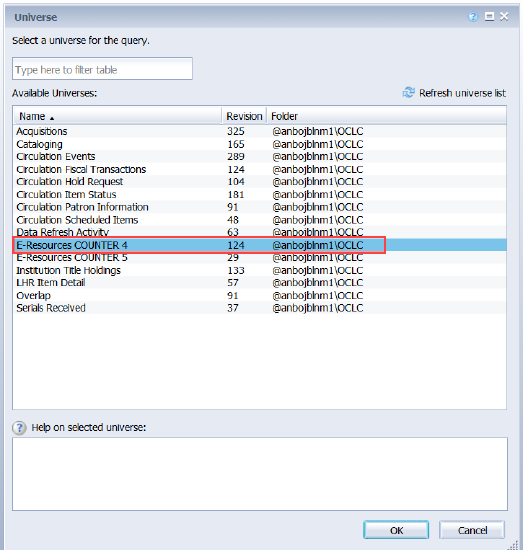
The previous E-Resources universe has been renamed to E-Resources COUNTER 4. In addition, the previous standard reports that were available in WorldShare Reports have also been renamed to identify them as COUNTER 4 reports. Previously named COUNTER 4 Reports
Renamed COUNTER 4 Reports
Previously named COUNTER 4 E-Resources Universe
Renamed COUNTER 4 E-Resources Universe
In order to utilize the new E-Resources COUNTER 5 universe and COUNTER 5 standard reports you will need to make sure you have conducted either manual or SUSHI harvests of the COUNTER 5 TR_J1, TR_B1 and PR_P1 reports in WorldShare License Manager. If you have WorldShare Report Designer and you created custom reports based on the formerly named E-Resources universe, these should continue to operate normally. Nevertheless, you may want to confirm the functionality of the reports following the release. |
New features and enhancements
Utilize COUNTER 5 data in new standard reports
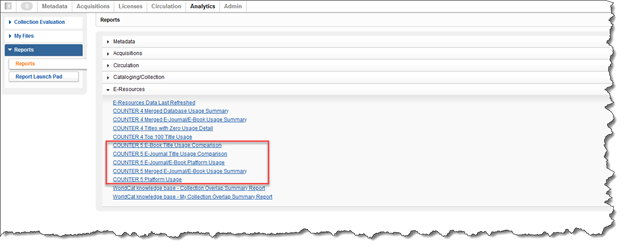
New COUNTER 5 Standard Reports are now available in WorldShare Reports and WorldShare Report Designer. These reports give you the ability to leverage the PR_P1, TR_J1 and TR_B1 data harvested in WorldShare License Manager by turning it into detailed reports to help your library with decision making. OCLC has published five new standard reports for your use. In addition, the E-Resources Data Last Refreshed report has been updated to include the COUNTER 5 data.
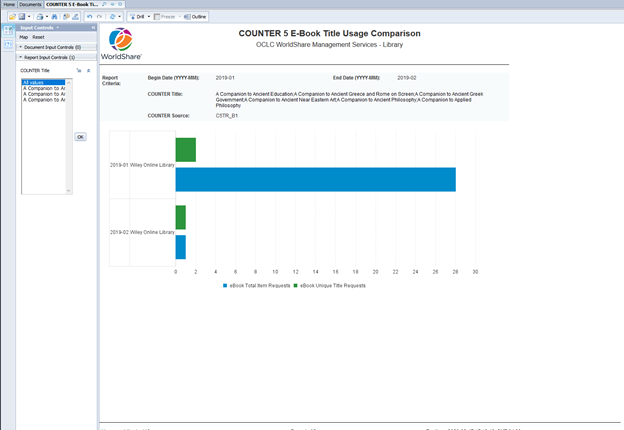
CONTE 5 Confronto tra i titoli dei libri elettronici
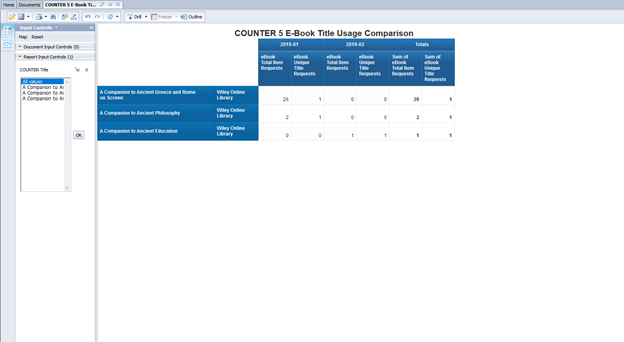
The COUNTER 5 E-Book Title Usage Comparison report provides a detailed view by title by month of your institution's C5TR_B1 COUNTER data. This report gives you the ability to compare eBook title usage across various content platforms. Title level usage is provided for eBook Total Item Requests and eBook Unique Title Requests. This report provides your library with a visualization of usage by platform over time, as well as a table detailing the usage of the eBook titles you selected by month.
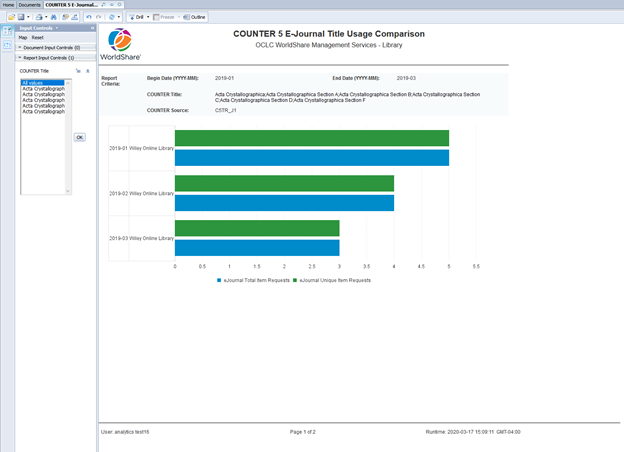
CONTEGGIO 5 Confronto tra i titoli delle riviste elettroniche
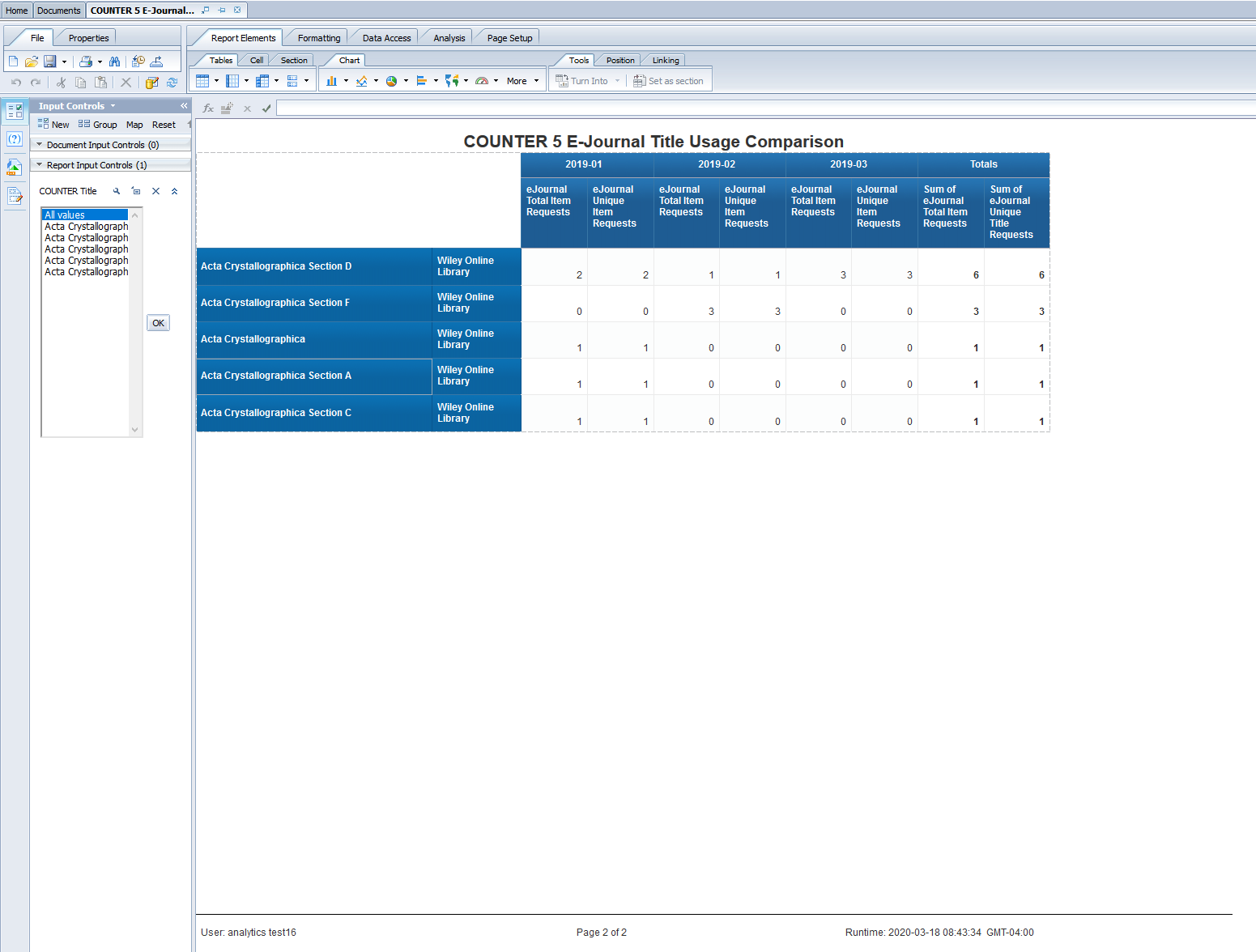
The COUNTER 5 E-Journal Title Usage Comparison report provides a detailed view by title by month of your institution's C5TR_J1 COUNTER data. This report gives you the ability to compare eJournal title usage across various content platforms. Title level usage is provided for eJournal Total Item Requests and eJournal Unique Item Requests. This report provides your library with a visualization of usage by platform over time, as well as a table detailing the usage of the eJournal titles you selected by month.
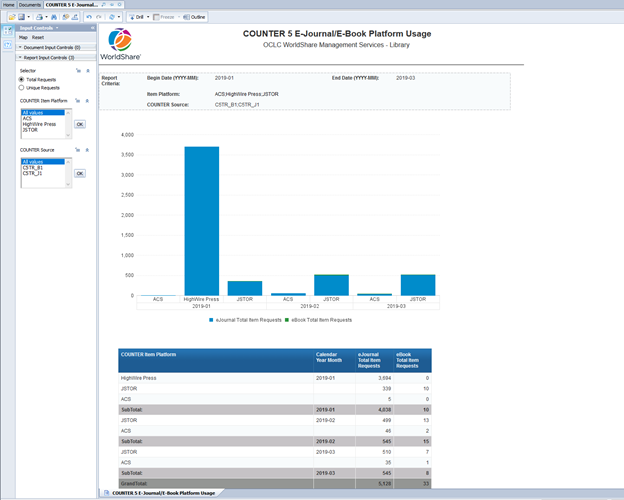
COUNTER 5 E-Journal/E-Book Title Platform Usage
The COUNTER 5 E-Journal/E-Book Title Platform Usage report provides a summary by platform by month of your library's C5TR_J1 and C5TR_B1 COUNTER data. This report gives you the ability to view combined eJournal and eBook data across content platforms. The platform level usage is provided for eJournal Total Item Requests, eJournal Unique Item Requests, eBook Total Item Requests, and eBook Unique Title Requests.
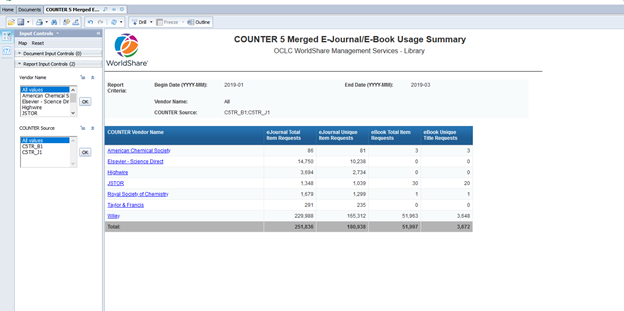
COUNTER 5 Merged E-Journal/E-Book Usage Summary
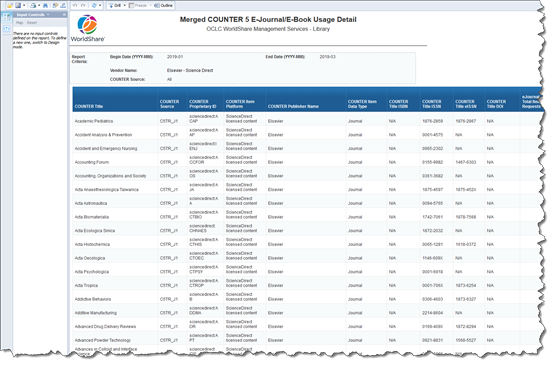
The COUNTER 5 Merged E-Journal/E-Book Usage Summary report provides a summary by month of your library's C5TR_J1 and C5TR_B1 COUNTER data. Summaries of usage by Vendor Name are provided for eJournal Total Item Requests, eJournal Unique Item Requests, eBook Total Item Requests, and eBook Unique Title Requests. The Merged COUNTER 5 E-Journal/E-Book Usage Detail report, which provides your library a detailed view of your library's C5TR_J1 and C5TR_B1 COUNTER data by title, can be launched from this report.
COUNTER 5 Riepilogo dell'utilizzo della piattaforma
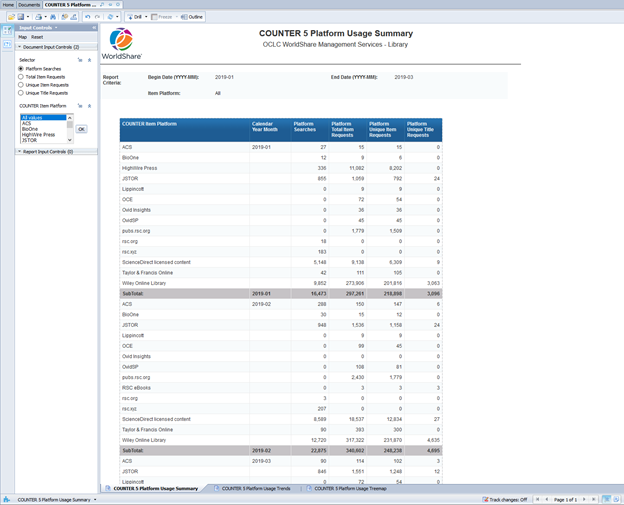
The COUNTER 5 Platform Usage Summary report provides a summary by month of your library's C5PR_P1 COUNTER data. Summaries of usage by COUNTER Item Platform are provided for Platform Searches, Total Item Requests, Unique Item Requests, and Unique Title Requests. This report also provides two different visualizations for your use.
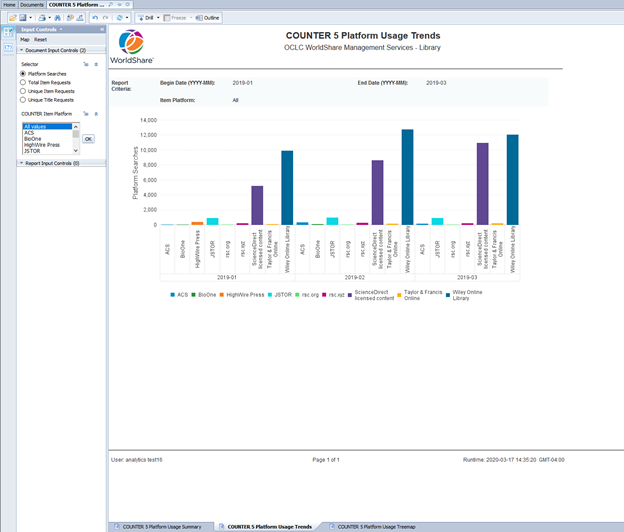
The first visualization provided is a column chart that shows the COUNTER metric you selected in the 'Document Input Controls' for the various COUNTER Item Platforms by month for the time period you entered in the prompt.
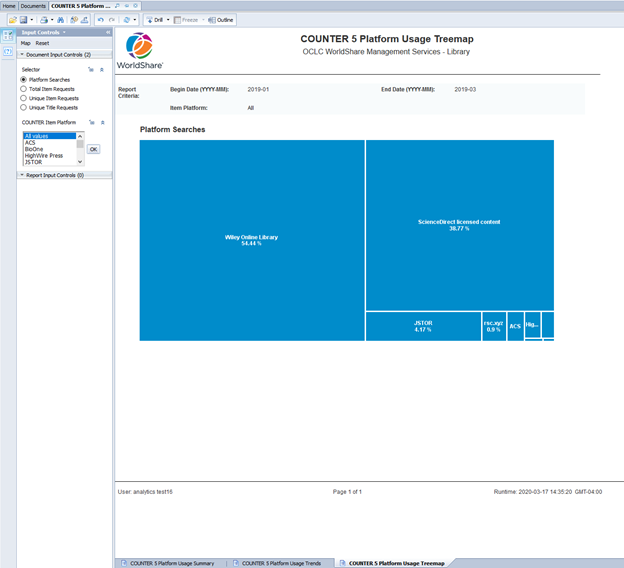
The second visualization provided is a treemap that shows the aggregated total of the COUNTER metric you chose from the 'Document Input Controls' for the various COUNTER platforms you have selected over the time period you entered in the prompt.
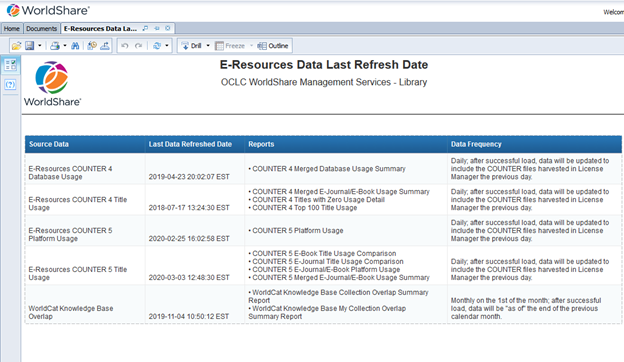
Dati delle risorse elettroniche aggiornati l'ultima volta
With this latest release of WorldShare Reports, the E-Resources Data Last Refreshed report displays when the E-Resources COUNTER 4 Universe and the E-Resources COUNTER 5 Universes were last refreshed.
New E-Resources COUNTER 5 Universe
The E-Resources COUNTER 5 Universe is now available in WorldShare Report Designer. If you are a Report Designer customer this gives your library the ability to create custom reports based on the COUNTER 5 usage data harvested by your institution in WorldShare License Manager. Currently, only the PR_P1, TR_J1, and TR_B1 reports are available at this time.
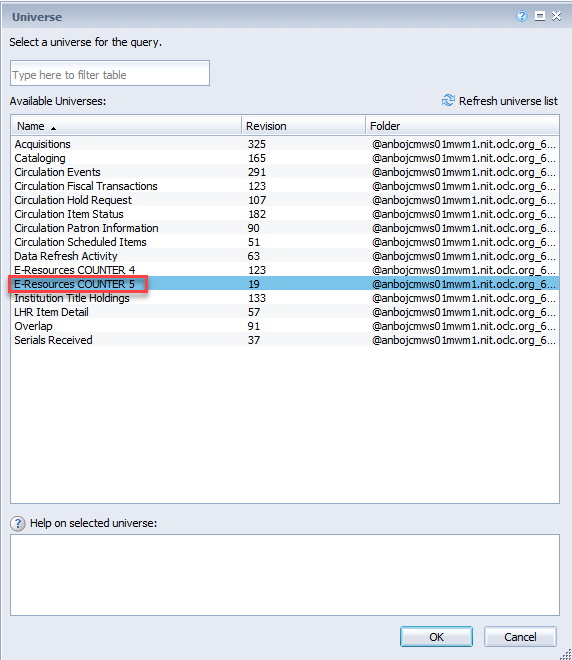
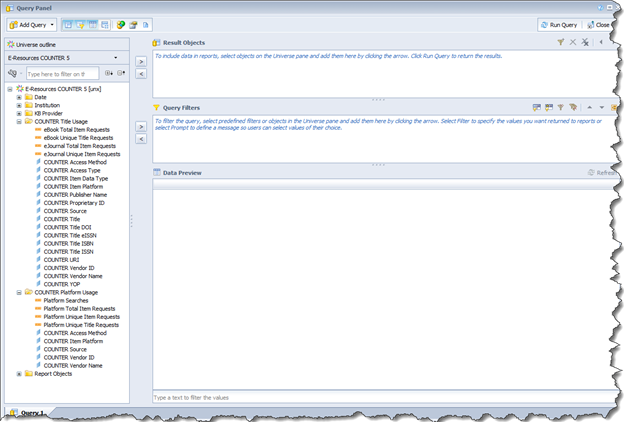
TR_J1, and TR_B1 usage data can be found in the COUNTER Title Usage folder, while PR_P1 usage data can be found in the COUNTER Platform Usage folder. If you attempt to include data from both folders into one report you will get disjoined data results.
Bug fixes
Please use the Analytics’ discussion forum to discuss any issues you encounter or contact support at support@oclc.org.
Known issues
There are no new known issues at this time.
A list of all other current known issues is available here.
Support website(s)
Support information for this product and related products can be found at: