
Relais D2D Release Notes, October 2020
Release Date: October 8, 2020
Introduction
Portal 3.3 includes several updates to the Relais patron and staff portal pages and one new feature enhancement for the staff portal pages. Discovery 3.8 includes one new update.
Patron portal
- Modernized look and feel to the patron portal pages making the pages more user-friendly and accessible for users with disabilities.
Staff portal
- Ability to cancel a request using a button vs. only through a drop-down menu
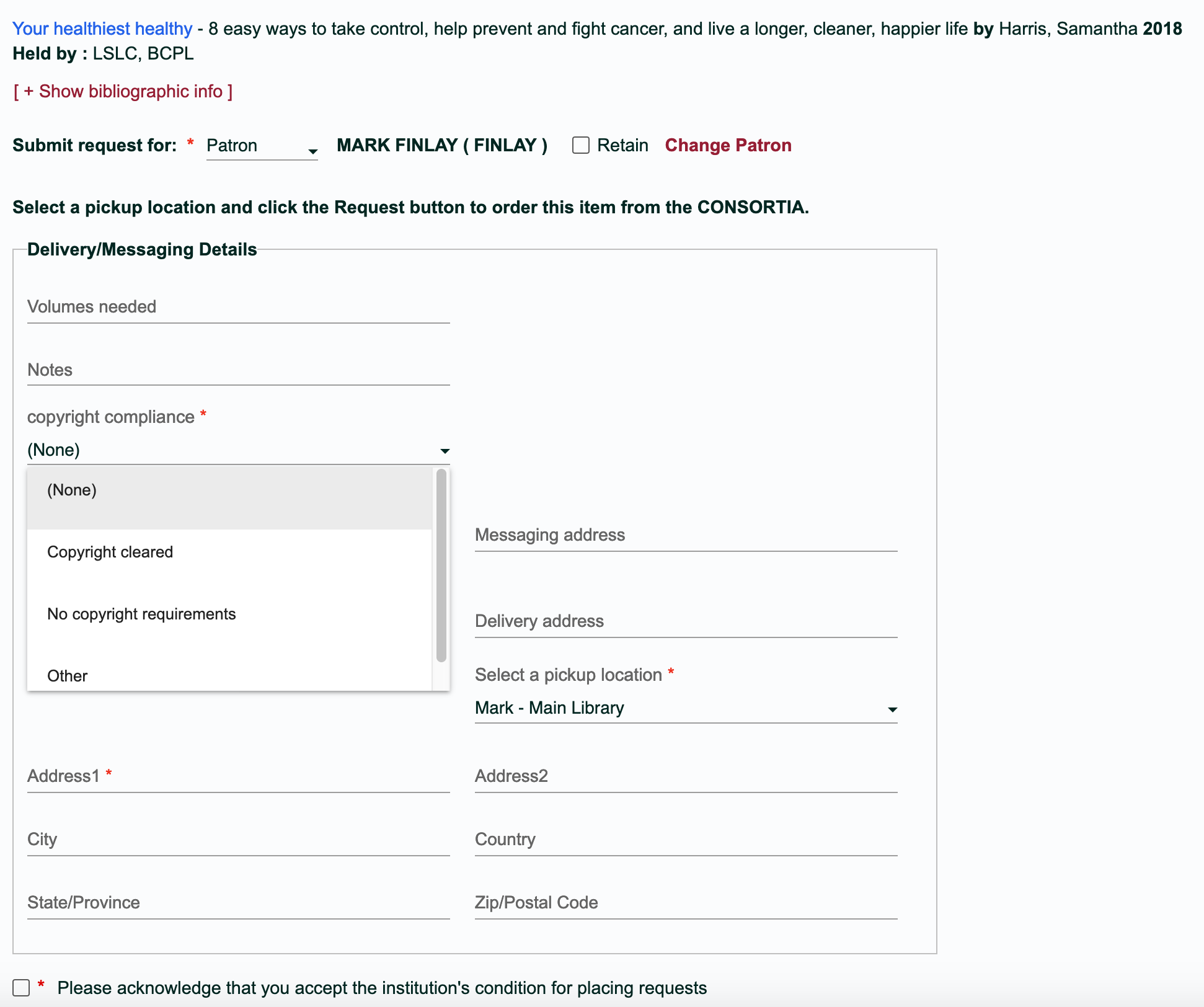
- Ability to display copyright compliance options and acknowledgment statements specific to the genre of a request when placing a request on behalf of a patron and/or library
- Staff portal pages compliant with WCAG 2.1 Level AA
Discovery
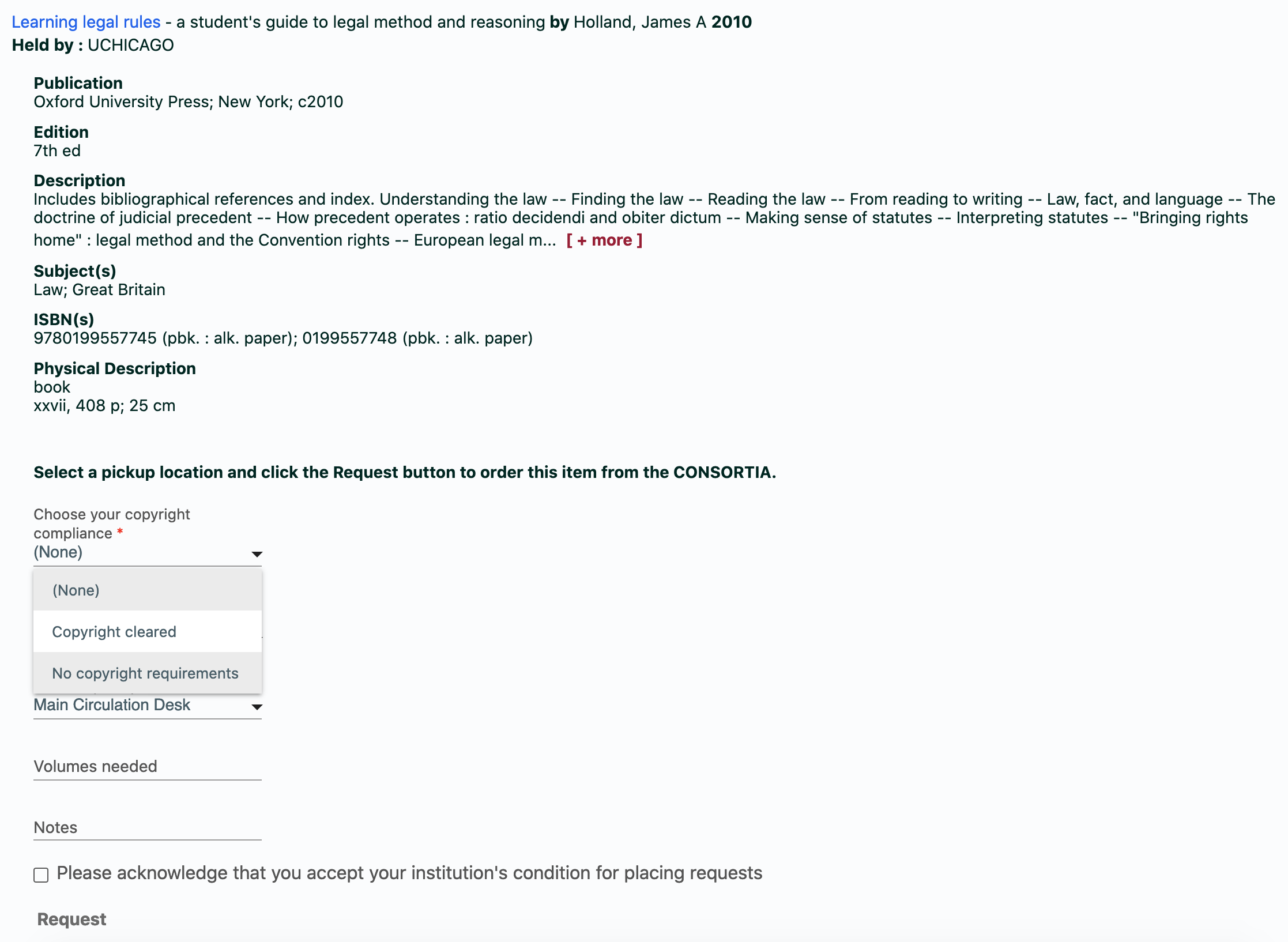
- Ability to display copyright compliance options and acknowledgment statements specific to the genre of a request
Recommended actions
We encourage you to review all of the items in the release notes to determine whether there are other items that might require additional action or follow up by your institution.
Administrative actions
These items require immediate action or decisions.
| Azione |
|---|
|
Portal 3.3 Review the reasons that display for selection when the 'Cancel Request' button is selected when processing a request to ensure that all the reasons you would expect to display, display. Discovery 3.8 Determine if your institution requires a more granular display of copyright compliance options and/or acknowledgment statements based on the genre of a request (book, thesis). If so, submit a support ticket to ZenDesk to request these changes. |
Follow-up actions
In an effort to keep your staff informed of new features and changes, you may also want to consider these items.
| Azione |
|---|
|
Share these release notes with your colleagues. Review the Relais documentation at Relais D2D. |
New features and enhancements
Portal 3.3
Staff Portal
- Staff members are now able to process requests as final cancellations using a button versus having to select a code from a combined dropdown list. The 'Unfilled' tab that appears when processing requests is renamed 'Unfilled / Cancel' in Portal 3.3. When selected, two options for marking a request unfilled will be presented; 'Unfilled and Cancel'. The default button is 'Unfilled'. If a request is processed as 'Unfilled', the request will be routed to the next supplier in the routing list.
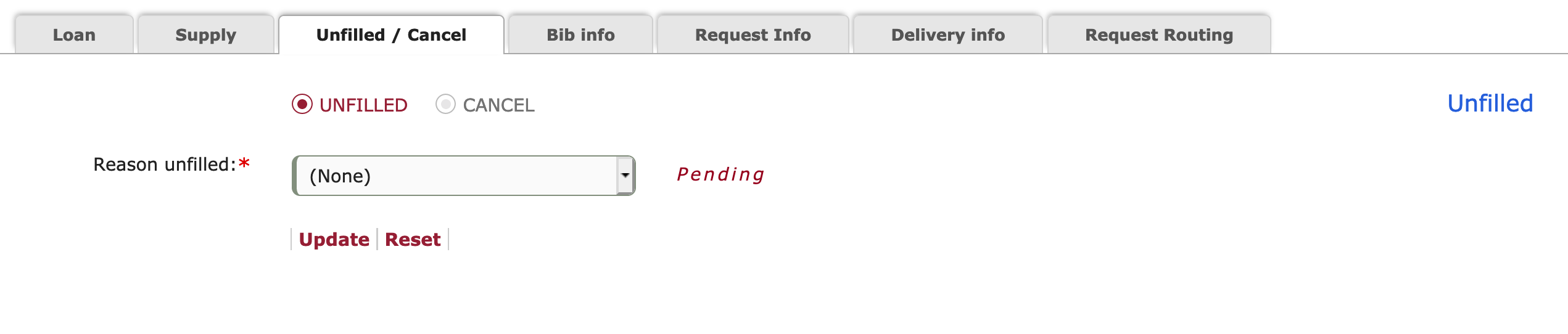
If staff choose the 'Cancel' button, then the request will be processed as a final cancellation when updated.

- Copyright compliance options and acknowledgment statements can now be configured to display genre-specific values when staff members are placing requests on behalf of patrons and/or libraries from the staff portal.
Patron Book request:
Discovery 3.8
Libraries have the ability to display copyright compliance options and acknowledgment statements specific to the genre of a request:
Bug fixes
There are no bug fixes to report at this time.
Known issues
There are no known issues to report at this time.
Important links
Support website(s)
Support information for this product and related products can be found at: