
Storage
Use the Storage report to view the storage summary and storage by collection in CONTENTdm (new version).
Roles: Users with the Administrator or Collection manager role can manage reports. Refer to CONTENTdm (new version) roles.
Use the Storage report to monitor your storage use in general and by collection.
Note: Drafts are not included in this report.
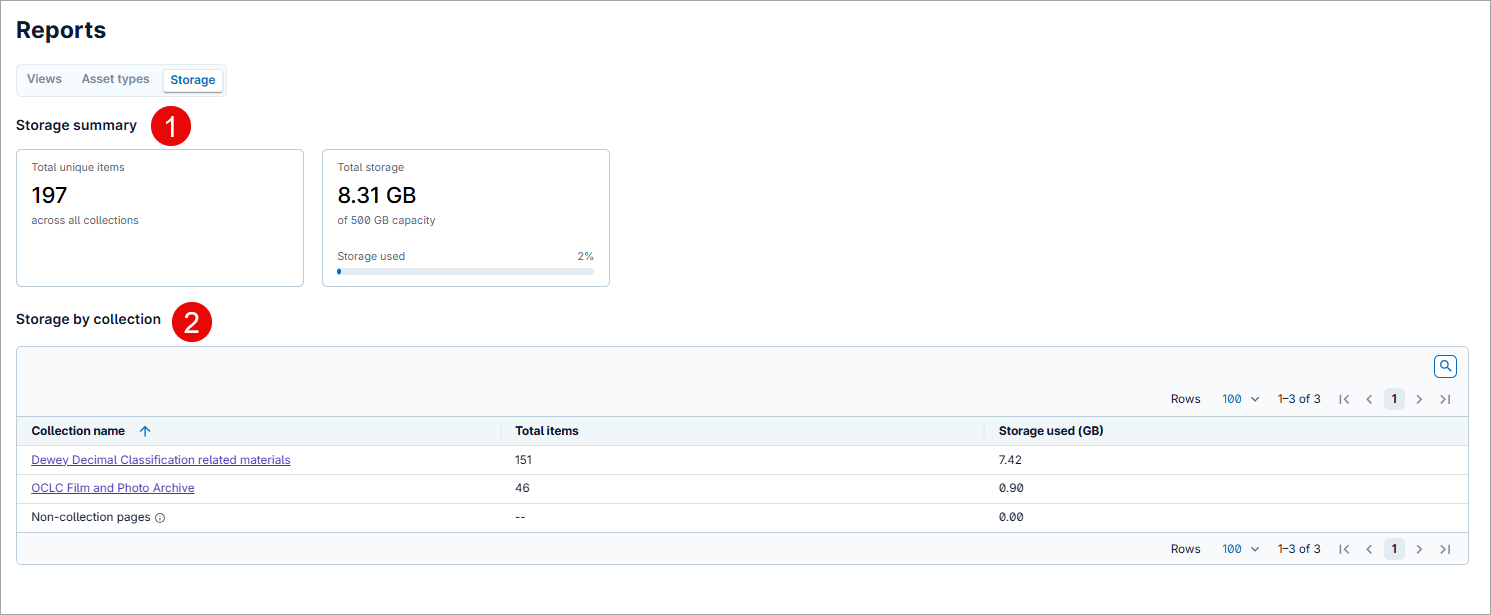
1. Storage summary
View the Total unique items across all collections and your Total storage use out of your storage capacity.
2. Storage by collection
View how many items and the total storage used (GB) for each individual collection.
Click the collection name to view that collection directly.