
WorldShare Reports release notes, July 2022
Release Date: July 21, 2022
Introduzione
This release of WorldShare Reports and Report Designer provides new features and enhancements. These features will help you manage more complex workflows, including:
- As a group reporting administrator, create custom interlibrary loan reports for your Tipasa consortium
- As a group reporting administrator, schedule group reports for delivery to My Files for your WMS or Tipasa consortium
Recommended actions
For this release, we recommend that you review the following checklists and complete the relevant tasks so that you can adjust your policies and workflows and train your staff. These checklists identify updates that we have determined as significant for most institutions. We encourage you to review all of the items in the release notes to determine whether there are other items that might require additional action or follow-up by your institution.
Follow-up actions
In an effort to keep your staff informed of new features and changes, you may also want to consider these items.
| Azione |
|---|
|
If you are a manager of a Tipasa group and wish to allow certain staff to perform interlibrary loan reporting and analysis across your group, please contact OCLC to request the staff member be provisioned with the new WorldShare ILL Group Admin role. |
New features and enhancements
Create custom interlibrary loan reports for your Tipasa consortium
Utilize new WorldShare ILL Group Admin reporting role
With this release, you will now be able to designate reporting administrators assigned to your Tipasa group and allow them to author custom reports utilizing the Interlibrary Loan and Circulation Patron universes. Note that all members of your consortium must subscribe to Tipasa to utilize this feature.
The new role is WorldShare ILL Group Admin, and it is only assignable by OCLC staff. Managers of your group can request staff users that require this role to OCLC. The request should be made to your OCLC Implementation contact or directly to analyticsfeedback@oclc.org, and the request should contain the user's barcode and home institution name and symbol.
Note: The staff user will also need the WorldShare ILL Admin role to successfully view/create group-level ILL reports. Institutions can provision the WorldShare ILL Admin role themselves.
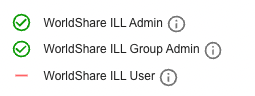
As a WorldShare ILL Group Admin user in group scope, you will notice the following behaviors:
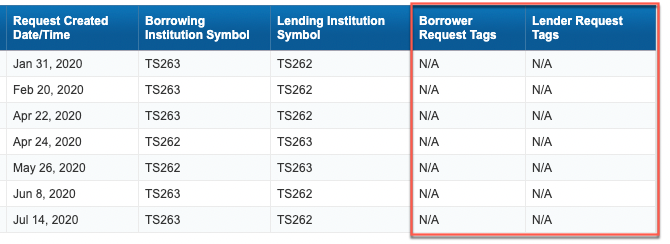
- You will not be able to view any of the contents of the Request Borrower Tags and Request Lender Tags, these values will show as "N/A". These fields will continue to only be visible to individual institutions. If you are a WorldShare ILL Group Admin user and wish to view the request tags for your own individual institution, please select your institution scope when launching Report Designer.
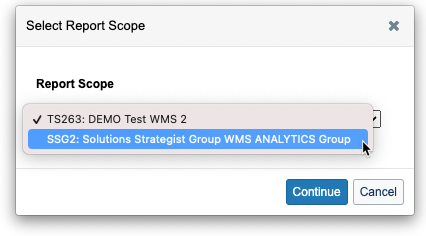
- Any existing reports you execute from the 1.0, 2.0, 2.1, 3.0, or 3.1 folders that utilize the Interlibrary Loan or Circulation Patron universes will contain ILL or patron data across your consortium when the user is in group scope.
- Custom reports created in group scope using the Interlibrary Loan universe have a 500,000 row limit.
Schedule group reports for delivery to My Files
Scheduling reports for WMS or Tipasa groups
Prior to this release, users with the following group reporting admin roles could only schedule reports to "Default Enterprise Location" and were unable to schedule reports for delivery to My Files via "File System":
- Acquisizioni del Gruppo WMS Admin
- Gruppo WMS Amministrazione della catalogazione
- Gruppo WMS Amministrazione Circolazione
- Gruppo WMS EResources Admin
- Amministratore del gruppo WorldShare ILL
With this release, you will now be able to schedule reports when you are in a group scope for delivery to My Files. These files will be delivered to your authenticating institution.
Note: The files that appear in My Files do not have any additional security/privacy on them, so any user with access to My Files in your institution will be able to open/view them. Please use caution if you create reports that contain sensitive data. You may wish to continue to utilize "Default Enterprise Location" for cases where data is sensitive and you wish to limit who can view the output.
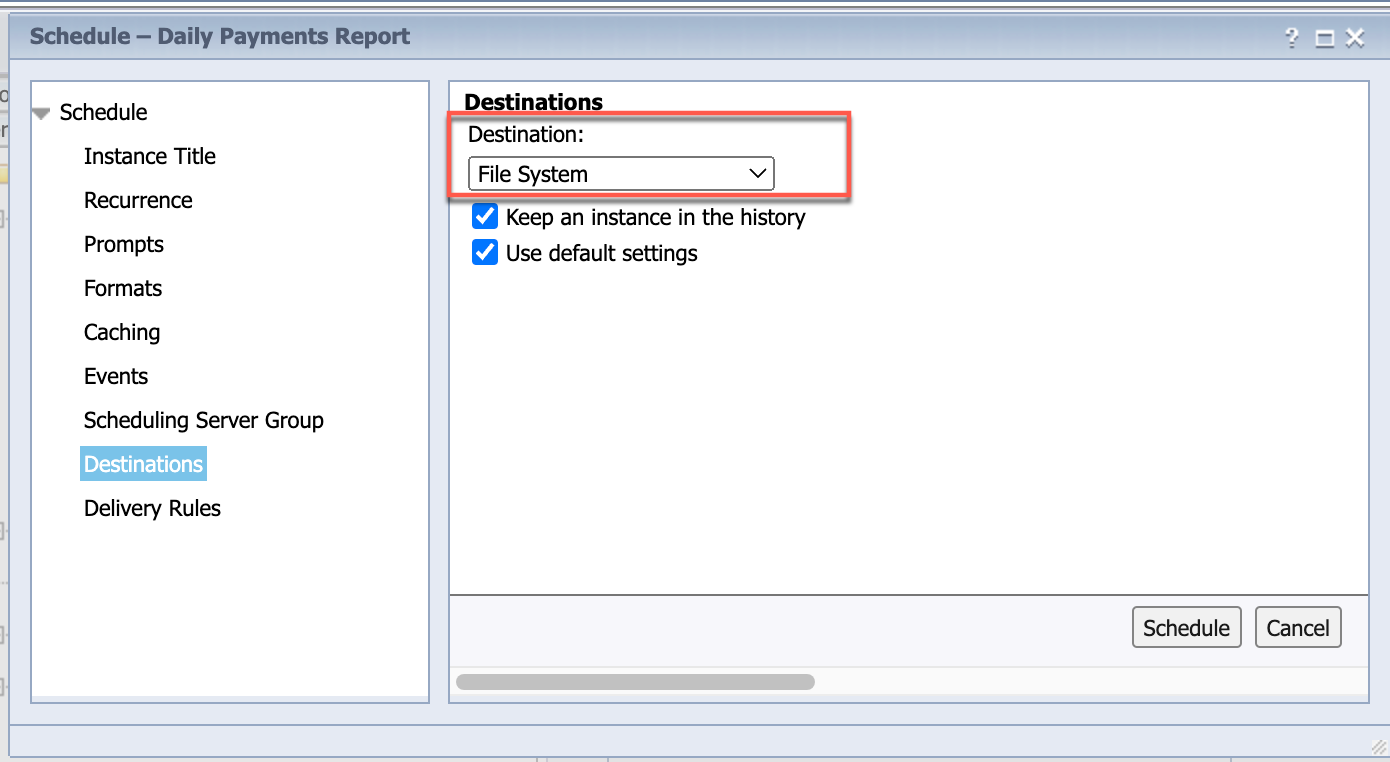
As a reminder, for scheduled report output files to be delivered to My Files (and also available in your SFTP location), you must select the "File System" option from the Destinations tab in the report scheduling dialog.
Support website(s)
Support information for this product and related products can be found at: